Lenny’s Little Apollo Book
Apollo Federation Patterns: Localization
April 26, 2020
This post is part of a series about Apollo Federation architectural patterns. Check out the introduction for some background on how the example code is structured.
Your schema may include enums or value types that aren’t ideal for displaying
in a UI. In this example, we have a PaymentStatus enum with all-caps English
values like AUTHORIZED. We’d prefer to show the title-cased “Autorisé” for
French-speaking users (according to Google Translate—I definitely don’t speak
French!)
In addition, we provide money values as amount / currencyCode pairs in our
Money object type. We’d prefer to show formatted string such as ”\$1.99” or
“€9,99” depending on the currency code.
query($id: ID!) {payment(id: $id) {status # AUTHORIZEDstatusText # Authorized, Autorisé, or AutorizadototalMoney {amountcurrencyCode} # value typetotalMoneyFormatted # "$1.99"}}
In both cases, we usually have localization and formatting logic repeated in each and every one of our web and native applications. Wouldn’t it be nicer to define this logic once on the server?
The “localization” service in this example uses @requires directives and type
extension to add localized fields to types. Fetching a localized value is just
as easy as fetching the raw value.
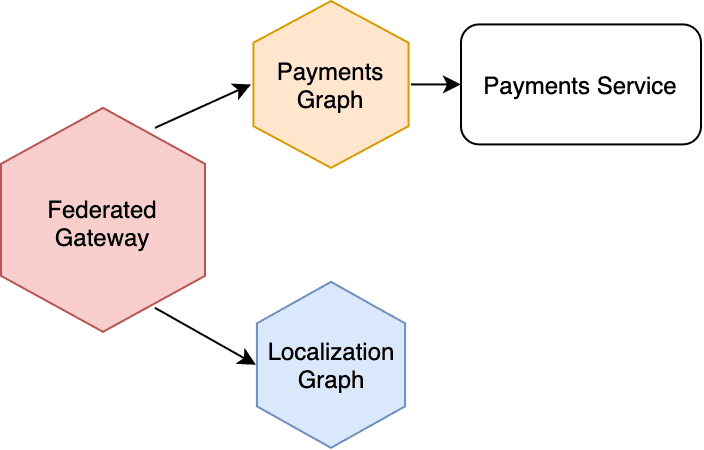
The service topology looks very similar to the Managing Secrets example, only the localization graph service is a stateless service with no underlying backend.
How the Example Works
For translating strings to different languages, I’m using the i18n
library. Its init function can extract the user’s locale from the Request
object, so that’s the first thing I do in the context builder.
const server = new ApolloServer({context: async ({ req, res }) => {// Sets the current locale by reading Accept-Language headersawait i18n.init(req, res)// Attach locale-related properties and functions to the contextreturn {currentLocale: i18n.currentLocale,t: i18n.translate,}},})
Then in a resolver, I can use the t() function on the context to convert
a string like “AUTHORIZED” into “Autorisé”:
const resolvers = {Payment: {statusText({ status }, _, { t }) {return t(`PaymentStatus.${status}`)},},}
In a real federated graph with multiple services, you would need to forward
the Accept-Language header from the Gateway to the Localization service by
customizing the requests.
(For demonstration purposes, I also added a locale: String argument to the
fields that can override the locale derived from headers.)
In the query plan, you can see how the Gateway sends the raw values (status
and totalMoney) to the localization service for translation in statusText
and totalMoneyFormatted resolvers.
QueryPlan {Sequence {Fetch(service: "/sandbox/src/services/payments.js") {{payment(id: "p1") {idstatus__typenametotalMoney {amountcurrencyCode}}}},Flatten(path: "payment") {Fetch(service: "/sandbox/src/services/localization.js") {{... on Payment {__typenameidstatustotalMoney {amountcurrencyCode}}} =>{... on Payment {statusTextinFrench: statusText(locale: "fr")inSpanish: statusText(locale: "es")totalMoneyFormatted}}},},},}

Written by Lenny Burdette in San Francisco. You can follow him on twitter but he doesn't tweet. Opinions written here do not necessarily reflect those of his employers and are subject to change.